


EATON Easy800 Series Programmable Relays
Eaton easy800 Series programmable relays are compact, modular devices designed for automation and control applications.
Filter
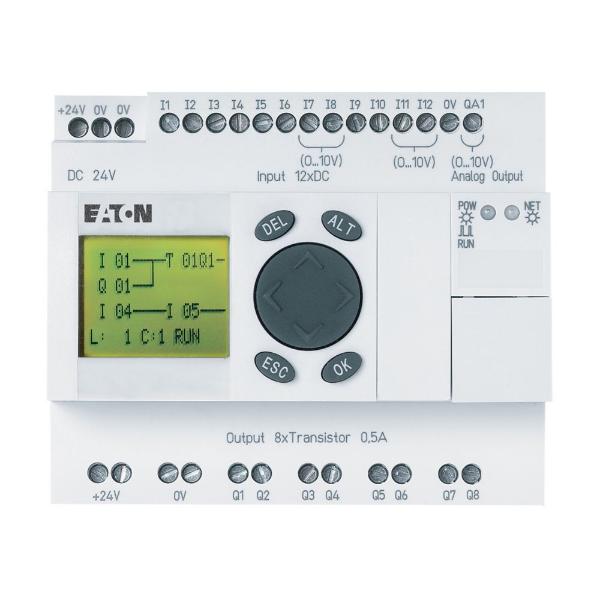 A
A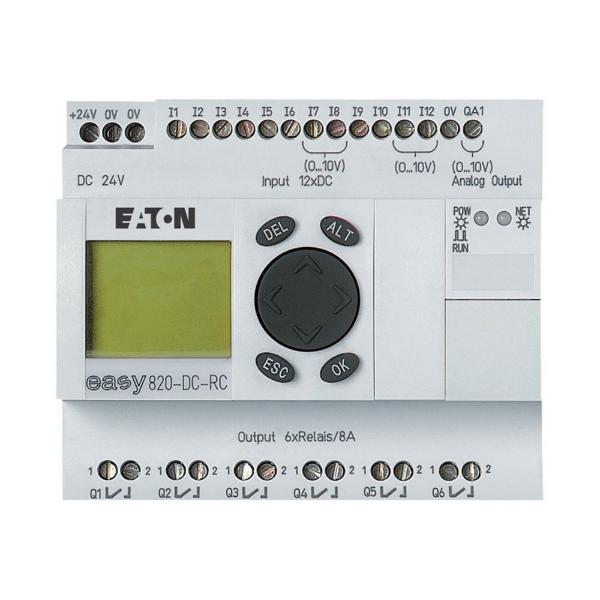 B
B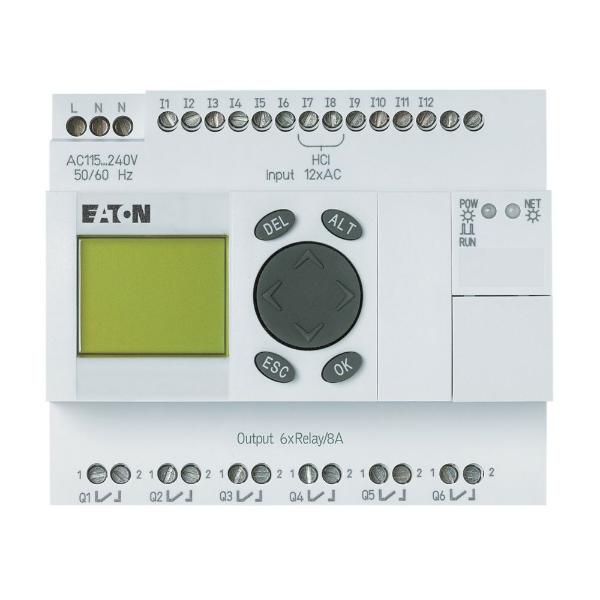 C
C| Style | Model | Product Width | Product Height | Voltage | Output | Type | Product Name | Quantity | Input | Price | |
|---|---|---|---|---|---|---|---|---|---|---|---|
| A | EASY821-DC-TC | 2.83" | 4.33" | 24V DC | 8 Transistor | Series 800 | Eaton Easy Programmable Relay | 1 | 12 Digital | €692.44 | |
| B | EASY820-DC-RC | 3.54" | 4.23" | 24V DC | 6 Relay 1 Analog | Series 800 | Eaton Easy Programmable Relay | 1 | 12 Digital | €875.09 | |
| C | EASY819-AC-RCX | 4" | 3 1/2" | 110-240V DC | 6 Relay | Series 800 | Eaton Easy Programmable Relay | 1 | 12 Digital | €634.88 |
Working Mechanism
- These relays use a microprocessor to control and monitor the input / output of the system.
- Operator can program the relay using the included software to create a logical control system using basic logic and functions.
- The program is then stored in the relay's internal memory and executed by the microprocessor.
- The microprocessor monitors the inputs and executes the programming logic which determines the state of the outputs, like turning off a motor if a temperature sensor reaches a certain limit.
Features
- Eaton easy800 Series programmable relays use an easy NET network to handle up to 320 I/O signals.
- They include a clock for functions like time-based control, timing events or tracking elapsed time and an easyD display for enhanced operator interface.
- Their front panel programming eliminates the need to change the wiring, thus reducing downtime.
Standards and Approvals
- EN
- IEC
Frequently Asked Questions
What is the operating temperature range of these relays?
Eaton easy800 Series programmable relays can handle temperatures within the range of -35 and 55 degrees C.
How to install these relays?
- Install the PLC in a control cabinet, service distribution board or an enclosure so that the power supply and terminal connections cannot be touched accidentally during operation.
- Mount the PLC to the surface using the provided screws or other mounting hardware.
- Connect the device to a power source using the correct voltage and current ratings for the specific model.
- Connect the inputs and outputs to the PLC using the wiring diagram.
- Install the programming software on a computer, following the manufacturer's instructions.
- Use the programming software to create and upload the control logic to the PLC. Make sure to test the program and debug any issues.
- Test the PLC to ensure all inputs and outputs are working as expected.
What is the range of easy NET network systems?
Users can connect up to eight easy800 / easyD devices within a proximity of 1000 metres.
We are here to help!
Looking for a part not listed here?
Popular Search Queries
- Portable Carbon Monoxide Detector
- Piston Accumulator
- Lockable Ball Valve
- Lay Flat Plastic Ducting
- Forklift Fuses
- Explosion Proof Extension Cables
- Hydraulic Pump Mounting Bracket
- Hydraulic Pump Repair Kit
- Granite Surface Plate
- Flow Control Valve
- Spark Proof Centrifugal Blower
- Venturi Style Pneumatic Air Blower
Explore More
- KEYSHAFT
- QUICK CABLE
- BABCOCK DAVIS
- UNEX FLOW CELL
- EOSLIFT
- Engine Accessories
- Straight Center Discharge Pumps
- Weighing Boats and Dishes
- Milli/Micro Ohm Meters
- Absorbent Pads
- ANSELL 88-390 Alphatec Neoprene Natura Latex Chemical Resistant Gloves
- DESTACO 330-M Series Pull Action Latch Clamps
- PROTO Impact Socket, 8 Point, 3/8 Inch Drive, Imperial
- ANVIL 261 Series Riser Clamps, Steel, Hot-Dipped Galvanized
- ANVIL AS613 Series U Supports
- DRIV-LOK Stainless Steel Slotted
- APPROVED VENDOR #10-32 Fully Threaded Standard Torx Button Stainless Steel Rounded Machine Screws
- KUNKLE Series 6283 Safety Relief Valves
- YOUNGSTOWN GLOVE CO. Leather Gloves
- TRITAN 2 Bolt Flange Units, Insert, Set Screw