


EATON Easy700 Series Programmable Relays
Eaton Easy 700 Series programmable relays are used in lighting control, HVAC, pump & motor control and automation of small machines & processes.
Filter
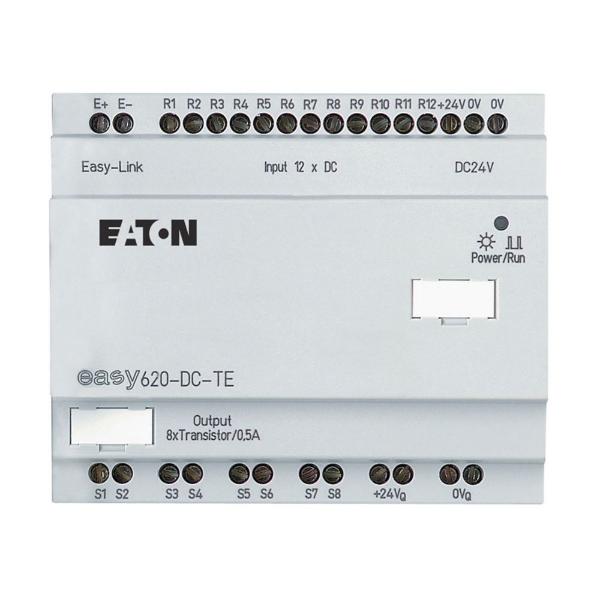 A
A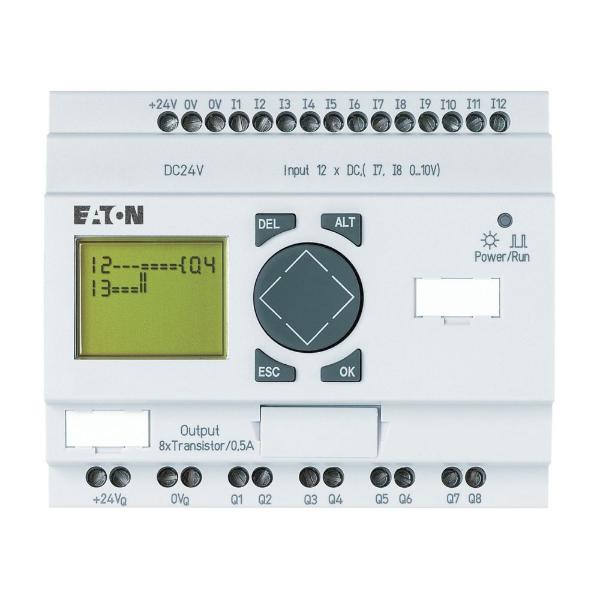 B
B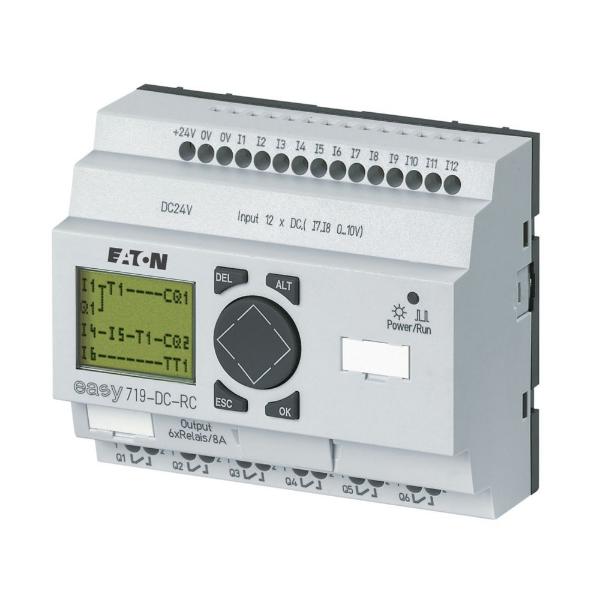 C
C| Style | Model | Product Width | Product Height | Type | Voltage | Notes | Mounting | Product Name | Quantity | Price | |
|---|---|---|---|---|---|---|---|---|---|---|---|
| A | EASY620-DC-TE | - | - | 20 I/O Expansion | 24V DC | All Expansion Modules Include One Easy-Link-DS. | Top Hat Rail | Eaton Easy Programmable Relay | 1 | - | RFQ
|
| B | EASY719-DA-RC | 2 7/25" | 4.33" | Series 700 | 12V DC | Analog Inputs Optional. Use Of Analog Inputs Will Result In A Decrease In The Same Number Of Available Digital Inputs. | - | Eaton Easy Programmable Relay | 1 | - | RFQ
|
| C | EASY719-DC-RC | 2 7/25" | 4.33" | Series 700 | 24V DC | Analog Inputs Optional. Use Of Analog Inputs Will Result In A Decrease In The Same Number Of Available Digital Inputs. | - | Eaton Easy Programmable Relay | 1 | - | RFQ
|
| B | EASY719-AC-RCX | 4" | 3" | Series 700 | 110-240V DC | - | - | Eaton Easy Programmable Relay | 1 | €1,355.90 |
Features
- Eaton Easy 700-series programmable relays feature a compact and modular design for ease of installation and expansion.
- These relays come equipped with integrated digital and analogue inputs & outputs for flexible control options.
- They have built-in clock and calendar functions to enable time-based control applications.
- These relays offer a user-friendly programming interface that supports ladder logic and function block diagrams.
- These relays come with a clear & easy-to-read display for quick monitoring and diagnostics.
Frequently Asked Questions
What is the operating temperature range of these relays?
-20 to 55 degrees C.
How to install these relays?
- Ensure that you have the necessary tools and equipment for installation.
- Select an appropriate location for the relay that meets the specified environmental conditions and has sufficient clearance for ventilation and access to the wiring.
- Mount the relay using the mounting brackets or rails provided, ensuring that it is securely fastened and level.
- Connect the power supply and other external devices to the relay, such as sensors and actuators, using the appropriate wiring and connectors.
- Configure the relay using the programming interface and software provided by Eaton or compatible third-party software.
- Test the relay's functionality to ensure that it is operating as expected.
- Once the relay is installed and configured, monitor its performance regularly to ensure that it continues to function properly.
How do I clean Eaton easy 700 Series programmable relays?
- Turn off the power supply to the relay and unplug any connected cables.
- Use a soft & dry cloth to gently wipe the surface of the relay to remove any loose dust or debris.
- For more stubborn debris or stains, use a slightly dampened cloth with a mild and non-abrasive cleaning solution.
- Avoid using harsh chemicals or abrasive materials to prevent damage to the surface of the relay or its components.
- Dry the relay thoroughly with a clean, dry cloth before reconnecting any cables or powering it back on.
We are here to help!
Looking for a part not listed here?
Popular Search Queries
Explore More
- DRAGONLAB
- KEYSHAFT
- PLASTICADE
- REOTEMP
- HYDRA ZORB
- Rotary Tools
- Electric Shear Accessories
- Photoelectric Area Sensors
- Ceiling Fans
- Drum Rackers
- CONDOR Cowhide Leather Palm Gloves
- IRONCLAD Framer Fingerless Dexterity Gloves
- DWYER INSTRUMENTS ADPS Series Differential Pressure Switches
- GLOBE SCIENTIFIC Tri-Corner Beakers, Economy Style
- GLOBE SCIENTIFIC Diamond RealSeal Large Format Bottles, Narrow Mouth, Polypropylene
- CONDOR Plastic, Security Sign, Warning
- APPROVED VENDOR Standard Tri-Wing Fully Threaded Pointed Plain Stainless Steel Pan Sheet Metal Screws
- IFM Rectangular Proximity Sensors and Switches
- SUPCO Steam Traps
- PBC LINEAR Ceramic Coated Aluminum Linear Shafts On Support Rails, ISO Metric